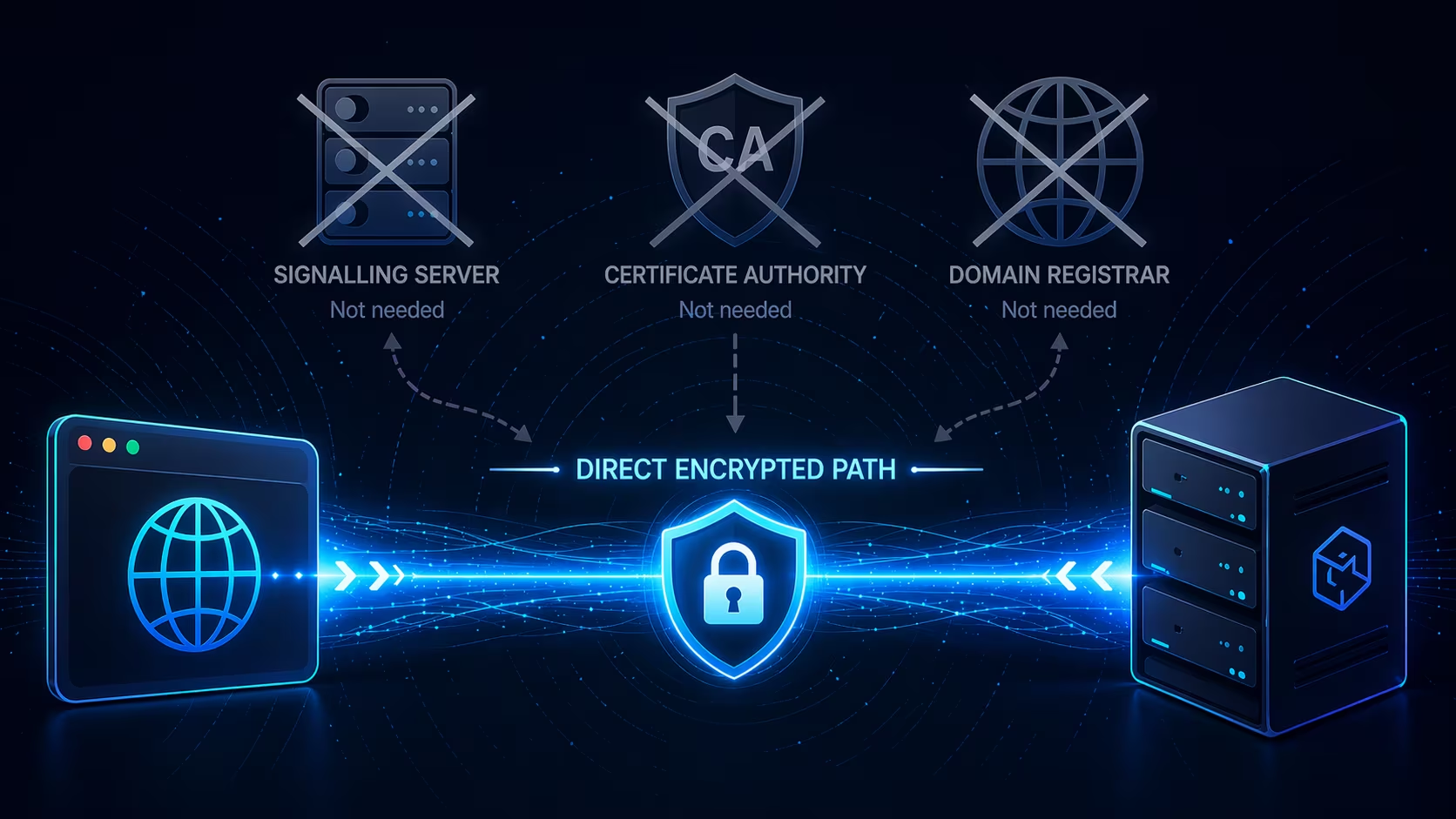
Connection Freedom in the Browser
Browser vendors migrated the web from http to https in the mid-2010s. That 's' adds encryption via TLS, which is great.
However, https also adds:
- You must use a domain controlled by a domain registrar.
- You must present a certificate signed by a certificate authority.
WebRTC Direct restores the freedom to talk to cryptographic identities instead of just those with authority-controlled names.
The workaround
- WebRTC is designed for p2p communication. The two ends can be browsers, so it can't require one side to have a domain and signed TLS certificate.
- However, WebRTC normally needs a signalling server to relay the SDP offer/answer and ICE candidates between the two ends. That server needs a domain and cert of its own — so the requirement just moves.
-
WebRTC Direct is a client-server variant. The server listens on an IP
and UDP port, and both sides synthesize the SDP from out-of-band
info instead of exchanging it: the browser derives the server's answer
from the multiaddr, and the server derives the browser's offer from
the
ufragit sees in the incoming STUN request. No signalling. -
All comms stay end-to-end encrypted. The multiaddr pins two different
keys:
/certhash/…is the SHA-256 of the server's self-signed TLS cert (verified during DTLS, no CA required), and/p2p/12D3Koo…is the server's libp2p identity, proven via a Noise XX handshake inside the first data channel.
One dependency left: hosting the client
Everything above removes authority requirements from the server. But the browser app itself is still hosted somewhere — in this case on GitHub Pages — which requires https, which requires a CA-signed cert for a registered domain. That's the last authority-controlled link in the chain between you and the server.
A Chromium extension build of the same app loads from
chrome-extension://<id>/: trusted at
install time rather than by a public CA. Build it yourself
with npm run build:extension in the
web/ directory and load
dist-extension/ as an unpacked extension. Now
neither the page nor its connection to the server depends
on a domain registrar or a certificate authority.
What runs on top
The transport is the point; this demo bolts two example services onto it, both speaking libp2p stream protocols.
-
Chat (
/chat/1.0.0) — a public bulletin plus end-to-end encrypted direct messages. Each client's DM key is signed by their libp2p identity, so the server can route messages but can't read or forge DMs. -
Block explorer (
/eth-rpc/1.0.0) — the server proxies JSON-RPC calls to curated public endpoints for Ethereum, Arbitrum, Optimism, Base, and Polygon; the browser renders a small live explorer from the responses. The server sees your queries; the public RPC endpoints only see the server's IP.
How the trust works
- The server generates a fresh self-signed TLS certificate at startup.
- It encodes the SHA-256 of that certificate into its multiaddr as
/certhash/..., alongside its IP, UDP port, and libp2p peer ID. - You paste that multiaddr into the browser. The browser now knows the endpoint and the exact certificate fingerprint to expect.
- The browser dials the IP and UDP port directly. It accepts the DTLS handshake only if the cert hashes to the pinned value. A Noise XX handshake on top then proves the libp2p peer ID.
No domain. No certificate authority. No signalling relay. If the multiaddr reached you intact, the connection cannot be intercepted.
Run a server
Needs Node.js 22+. Clone this repo, then:
cd server
npm install
npm start
The server prints one listen multiaddr per reachable network interface. Each looks like:
/ip4/192.168.1.50/udp/41108/webrtc-direct/certhash/uEi.../p2p/12D3Koo...
On first run the server writes its peer key, TLS cert
(200-year lifespan), and picked UDP port into
state.json. Every piece of the multiaddr — IP,
port, certhash, peer ID — stays identical across restarts. If
the saved port is already taken on a later start, the server
errors out rather than silently breaking the saved multiaddr.
Pick the right multiaddr
WebRTC Direct is just UDP underneath. The browser must be able to reach the server's UDP port directly, so pick the address that matches where you are:
- Same machine as the server — use the
127.0.0.1line. - Same LAN — use the line with the LAN IP (
192.168.x.x,10.x.x.x). - Across the internet — run the server on a public IP, or forward the UDP port printed in the multiaddr.